Custom Ranking
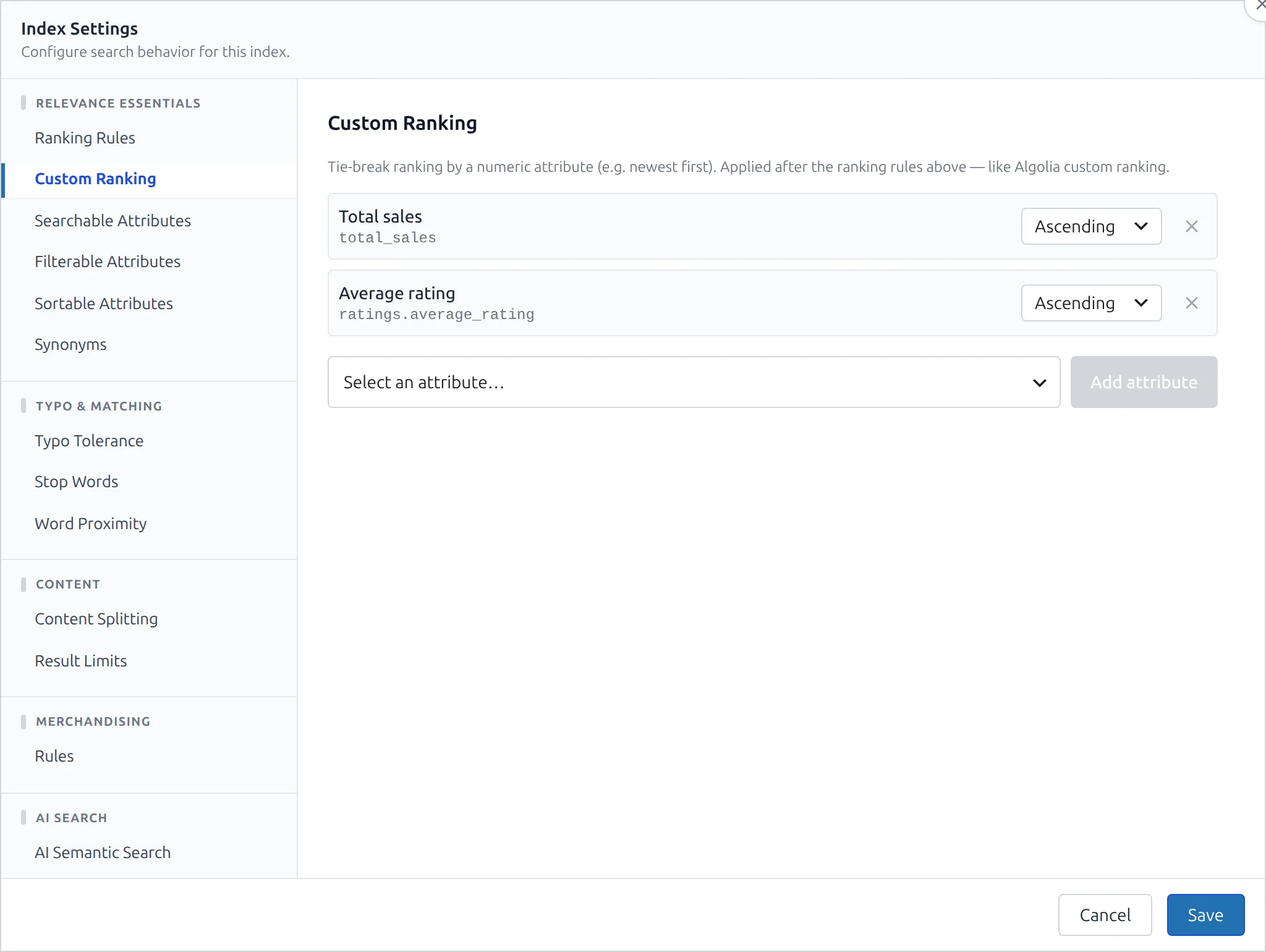
Custom ranking breaks ties by a numeric attribute — so when two results are equally relevant to the query, the one with more sales (or newer date, or higher rating) comes first. It's the same idea as Algolia's custom ranking: the textual criteria decide relevance, and your custom attribute decides the order within each relevance tier.
You configure it per index in the Custom Ranking section of Index Settings (under Relevance Essentials).
How It Works
Each entry is an attribute plus a direction (Ascending or Descending), stored as attribute:direction (e.g. total_sales:desc). CelerSearch appends these to Meilisearch's rankingRules after the textual rules (words, typo, proximity, attribute, exactness), so they only ever act as a tie-breaker — they never override relevance. List several and they apply in order: the first breaks ties, the second breaks any remaining ties, and so on.
Because it becomes part of the engine's rankingRules, custom ranking applies to every search against that index — the main WordPress search, autocomplete, Views, and the WooCommerce shop — with no per-query configuration.
Ranking vs. the sort dropdown
Custom ranking is always-on and subtle — it only reorders results the text relevance left tied. A sort control (price low-to-high, newest) is the opposite: an explicit, visitor-chosen order that replaces relevance entirely. Use custom ranking to nudge relevant results; use a sort dropdown to let shoppers take over.
Available Attributes
The picker offers the numeric fields the index exposes. For a Products index those are grouped:
| Group | Attributes |
|---|---|
| Dates & order | Created at (post_date), Modified at (post_modified), Record index (record_index), Menu order (menu_order) |
| Stock & sales | Total sales (total_sales), Stock quantity (stock_quantity) |
| Pricing | Price (price), Regular price (regular_price), Sale price (sale_price) |
| Ratings | Average rating (ratings.average_rating), Total ratings (ratings.total_ratings) |
Other index types default to the index's sortable attributes. Custom ranking only makes sense for numbers and dates — Meilisearch orders attribute:asc|desc numerically.
Common recipes:
- Best-sellers first —
total_sales· Descending - Newest first —
post_date· Descending - Highest-rated first —
ratings.average_rating· Descending
Requirements
Custom ranking is native Meilisearch rankingRules — it works on every Meilisearch version CelerSearch supports, with nothing to enable on the instance (unlike AI Semantic Search or Dynamic Search Rules). The setting is carried by index import/export along with the rest of the index config.
Developer Hooks
celersearch_service_meilisearch_custom_ranking
Filter the list of attribute:direction strings just before they're merged into rankingRules. Runs on every settings push to the engine.
// Always tie-break by sales, regardless of the admin UI setting
add_filter('celersearch_service_meilisearch_custom_ranking', function ($rules, $service) {
    $rules[] = 'total_sales:desc';
    return array_values(array_unique($rules));
}, 10, 2);
The merge dedupes, so an attribute already present (from the UI or another filter) is never doubled.
Next Steps
- AI Semantic Search — meaning-aware hybrid search per index
- Dynamic Search Rules — pin specific documents for specific queries
- Index Settings Reference — the
custom_ranking_attributesproperty and builder method